
AGI Point / Learn / Claude + Unreal Engine MCP
How to connect Claude to Unreal Engine 5.8 (official MCP)
Unreal Engine 5.8 has an AI connection built in. Ten minutes from an open editor to Claude moving the sun, building materials and placing objects in your level, with the official MCP server Epic ships with the engine.
Updated October 20, 2026 · by AGI Point
Short answer: Unreal Engine 5.8 has an official MCP server built in. Turn on the Unreal MCP and All Toolsets plugins, tick Auto Start Server, run ModelContextProtocol.GenerateClientConfig ClaudeCode in the console, then open the project folder in Claude Code. Claude can then see your level and change it with real engine tools.
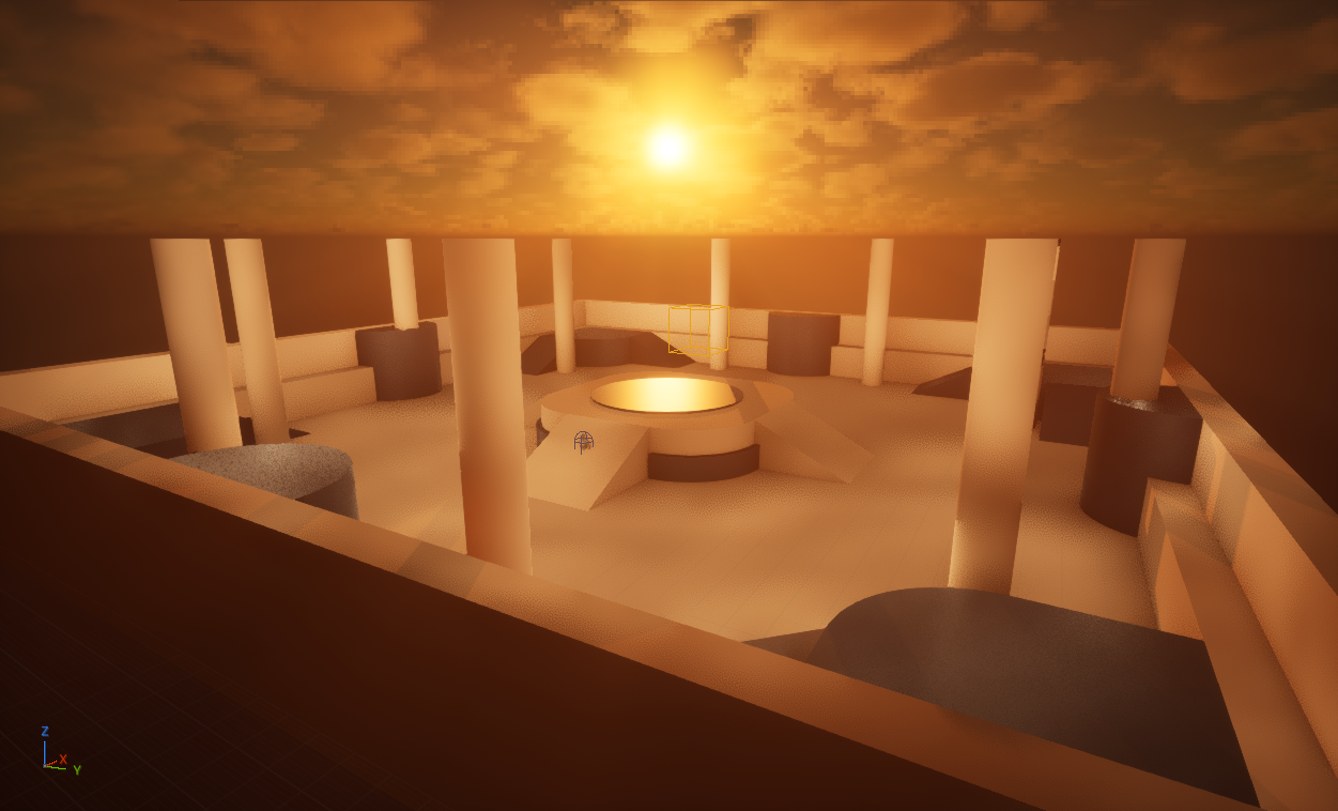
What MCP in Unreal Engine actually is
MCP (Model Context Protocol) is a small bridge that lets an AI use a program's own tools. Epic added an MCP server to the Unreal Editor in 5.8. With it, Claude doesn't just chat about Unreal: it reads your level, places and edits actors, builds materials, moves the camera and takes screenshots to check its work. In our test project the server offered 55 toolsets: actors and scenes, materials, Blueprints, meshes, the viewport camera and screenshots, play-in-editor, logs, Niagara effects, Sequencer cinematics, PCG procedural worlds, behavior trees, menus and tests. Epic marks it Experimental, so details can change between versions.
What you need
| Works, slower | Comfortable | |
|---|---|---|
| Mac | Apple M1/M2, 16 GB, macOS Sonoma 14.5+ | M3 or newer, 32 GB+ |
| Windows | Quad-core, 16 GB, DirectX 12 graphics card | Windows 11, 32 GB, 8 GB+ video memory |
| Disk | About 50 GB for the engine (48 GB on our Mac), plus your project | |
| Claude | A plan with Claude Code (Pro or higher): the Code tab of the Claude app works with your files and the editor | |
A weaker computer is slower, not blocked: shaders compile longer the first time. Set the viewport's Engine Scalability Settings to Medium while you build.
Setup: 8 steps, about 10 minutes after the downloads
- Install Unreal Engine 5.8. Epic Games Launcher → Unreal Engine → Library → + → 5.8 → Install.
- Install the Claude app from claude.ai/download and sign in. You'll use the Code tab.
- Create a project. Launch 5.8 → Games → Third Person → Blueprint → Create. The first opening compiles shaders.
- Switch on two plugins. Edit → Plugins → search Unreal MCP → Enabled. Search All Toolsets → Enabled. Restart the editor.
- Start the server automatically. Edit → Editor Preferences → General → Model Context Protocol → tick Auto Start Server. It runs on your own computer only (port 8000).
- Write the connection file. Press the
`key to open the console and type:
ModelContextProtocol.GenerateClientConfig ClaudeCodeIt writes .mcp.json into your project folder. That file tells Claude where the editor is.
- Open the project in Claude. With the editor open, go to the Claude app → Code → open the folder with your
.uprojectfile. The first time Claude uses an Unreal tool it asks permission: Allow. - Your first request: "Can you see my Unreal editor? Tell me which level is open and show me a screenshot."
If Claude can't see the editor
- The editor must be open before you start the Claude session.
- Claude must be opened on the project folder, where
.mcp.jsonis. - No server? Type
ModelContextProtocol.StartServerin the editor console.
Five requests to try first
- "Turn this level into golden hour: a low warm sun, light fog, warm stone instead of the gray grid. Screenshot before and after from the same camera."
- "Add a ring of 10 tall pillars around the centre with a warm fire light on top of each."
- "Make it night: cool moonlight, torches every 15 metres, a little fog."
- "What can you do in this editor? List the toolsets you have and show me one."
- "Too bright? Lower the fog, make the fire lights weaker and orange, and screenshot again."

The full pro package: Unreal, Unity, sound and Steam
AAA Studio sets Claude up inside Unreal Engine 5.8 and Unity 6, with Blender, sound design, voice, music, animations, a free asset library, a 4K trailer and every step to a Steam release. ≈220 hours saved. One payment, $79.
See AAA Studio →Questions
Does Unreal Engine 5.8 have MCP built in?
Yes. Unreal Engine 5.8 ships an official, Experimental MCP server as editor plugins (Unreal MCP plus All Toolsets). You enable them in Edit → Plugins; no third-party server is needed.
Does it work with Claude Code?
Yes. The console command ModelContextProtocol.GenerateClientConfig ClaudeCode writes the .mcp.json file Claude Code reads, and the server runs locally on port 8000.
Is Unreal Engine free?
Unreal Engine is free to download and start with. Epic's royalty terms apply only once a game earns over Epic's revenue threshold; check Epic's current EULA for the numbers.
Can Claude also use Unity or Blender?
Yes. Unity has an official plugin for Claude Code (see our Unity guide), and Blender has an official MCP connector for Blender 5.1+.